

Zoom
zoom.us“Zoom projects a polished, enterprise-grade presence that balances professional reliability with modern accessibility. The brand feels efficient and trustworthy, using a clean, structured layout to convey that complex workflows are simplified through their platform.”
Color Palette
Colors
Typography
Fonts
Almaden Sans
Helvetica, Noto Sans JP, Noto Sans KR, Noto Sans SC, Noto Sans TC, Noto Sans, Arial, sans-serif
Happy Face Semi Bold
Helvetica, Arial, Noto Sans JP, Noto Sans KR, Noto Sans SC, Noto Sans TC, Noto Sans, sans-serif
Almaden Sans
Helvetica, Noto Sans JP, Noto Sans KR, Noto Sans SC, Noto Sans TC, Noto Sans, Arial, sans-serif
The quick brown fox
16pxThe quick brown fox
54pxThe quick brown fox
54pxThe quick brown fox
20pxThe quick brown fox
14pxComponents
Design System
rgba(0, 0, 0, 0.04) 0px 33px 26px 0px
rgba(0, 0, 0, 0.2) 0px -9px 75px 0px, rgba(0, 0, 0, 0.15) 0px -2.01px 20px 0px, rgba(0, 0, 0, 0.1) 0px -0.599px 10px 0px
rgba(0, 0, 0, 0.05) 0px 4px 10px 0px
radial-gradient(400% 240% at 50% 100%, rgb(255, 255, 255), rgb(255, 255, 255) 10...
linear-gradient(-81.05deg, rgb(251, 50, 126) 0%, rgb(11, 92, 255) 100%)...
linear-gradient(90deg, rgb(141, 93, 247), rgb(108, 176, 255) 45%, rgb(23, 34, 24...
Voice & Tone
Personality
Visual Energy
Design Era
contemporary-minimal
Emotional Tone
reliable-efficient
Target Audience
Enterprise and mid-market professionals seeking robust, all-in-one collaboration tools for remote and hybrid work environments.
Comparable Brands
Brand Rules
Dos & Don'ts
Do
- Use Almaden Sans (400 weight) for body copy with a strict 16px line-height, and Almaden Sans (600 weight) or Happy Face Semi Bold (500 weight) for headings.
- Format all headings in Title Case to maintain a structured, editorial feel, while keeping body text in sentence case for readability.
- Style primary CTAs with a solid #0b5cff background, #ffffff text, 8px border-radius, and 14px vertical / 16px horizontal padding.
- Style secondary CTAs with a #e6f0ff background, #00053d text, 12px border-radius, and 4px vertical / 20px horizontal padding.
- Apply subtle, multi-layer shadows to interactive elements like dropdowns (e.g., rgba(0,0,0,0.2) 0px -9px 75px 0px) to create depth without clutter.
- Use the primary brand blue (#0b5cff) for key interactive states and accents, reserving #00031f for high-contrast text and #ffffff for backgrounds.
- Incorporate gradients sparingly, specifically using the linear-gradient from rgb(251, 50, 126) to rgb(11, 92, 255) for hero sections or feature highlights to add visual interest.
- Maintain a base spacing unit of 2px for consistent padding and margins across all UI components.
Don't
- Do not use Title Case for body copy; reserve it exclusively for headings to preserve the formal/casual balance.
- Avoid heavy, solid shadows on buttons; keep button surfaces flat and clean to emphasize accessibility and modernity.
- Do not use serif fonts; the brand is strictly sans-serif (Almaden Sans/Happy Face) to convey modern efficiency.
- Avoid excessive emoji usage; limit to light, professional contexts where appropriate, never in primary navigation or critical alerts.
- Do not use sharp corners (0px radius) on UI elements; maintain a minimum of 8px radius for buttons and cards to soften the corporate aesthetic.
- Avoid using the accent color #00031f for large background areas; it is reserved for text and high-contrast elements against white.
- Do not use multi-layer shadows on static cards unless they are interactive; keep static content flat with minimal depth (rgba(0,0,0,0.04)).
Design Assets
Visual Elements






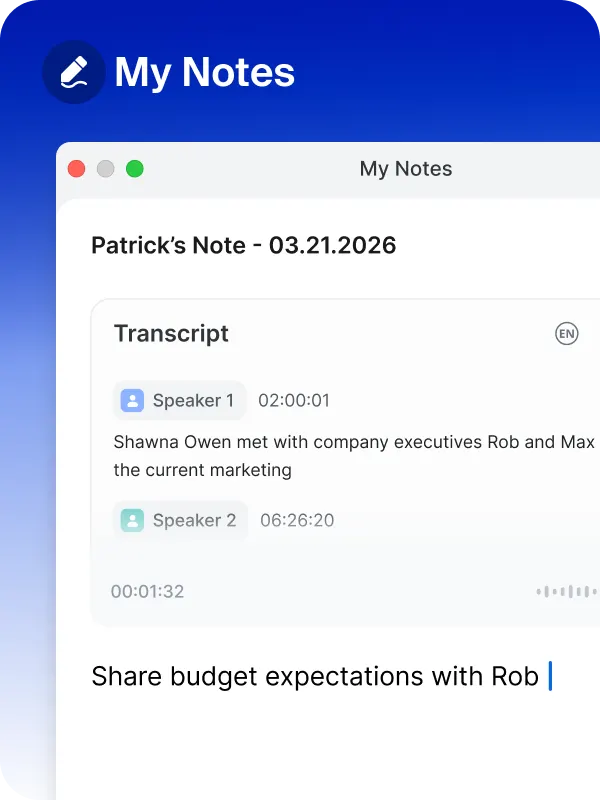

How to use this file
1. Save this file as DESIGN.md in your project root (sibling to README.md).
2. AI agents that read project files (Claude Code, Cursor, v0, Lovable, Bolt, Windsurf) will discover it automatically.
3. Validate or export tokens with the official CLI:
npx @google/design.md lint DESIGN.md
npx @google/design.md export --format tailwind DESIGN.md
Developer Access
# Fetch the full brand kit
curl https://extractvibe.com/api/brand/zoom.us \
  -H "x-api-key: ev_your_key"

# Export as CSS variables
curl https://extractvibe.com/api/extract/JOB_ID/export/css \
  -H "x-api-key: ev_your_key"

# Export as Tailwind config
curl https://extractvibe.com/api/extract/JOB_ID/export/tailwind \
  -H "x-api-key: ev_your_key"
Extract your own brand kit
Get colors, fonts, voice, and personality from any website in seconds. Open source.