NavyaAI
navyaai.com“LLM Cost Optimization & AI Inference Audit | NavyaAI presents a professional web presence.”
Color Palette
Colors
Light Mode
Dark Mode
Typography
Fonts
Space Grotesk
Space Grotesk Fallback
Space Grotesk
Space Grotesk Fallback
Geist Mono
Geist Mono Fallback
The quick brown fox
16pxThe quick brown fox
72pxThe quick brown fox
44pxThe quick brown fox
28pxComponents
Design System
rgba(0, 0, 0, 0) 0px 0px 0px 0px, rgba(0, 0, 0, 0) 0px 0px 0px 0px, rgba(0, 0, 0, 0) 0px 0px 0px 0px, rgba(0, 0, 0, 0) 0px 0px 0px 0px, rgb(0, 0, 0) 2px 2px 0px 0px
linear-gradient(rgb(5, 10, 18) 0%, rgb(11, 22, 34) 45%, rgb(14, 27, 43) 78%, rgb...
linear-gradient(in oklab, rgb(10, 10, 10) 0px, rgb(14, 27, 43) 100%)...
linear-gradient(rgb(14, 27, 43) 0px, rgb(95, 125, 150) 50%, oklch(0.985 0 0) 100...
linear-gradient(to right, oklch(0.985 0 0) 0px, rgba(0, 0, 0, 0) 100%)...
linear-gradient(to left, oklch(0.985 0 0) 0px, rgba(0, 0, 0, 0) 100%)...
linear-gradient(to right in oklab, rgb(255, 255, 255) 0px, rgba(0, 0, 0, 0) 100%...
Voice & Tone
Personality
Visual Energy
Design Era
contemporary
Emotional Tone
professional
Target Audience
general audience
Design Assets
Visual Elements





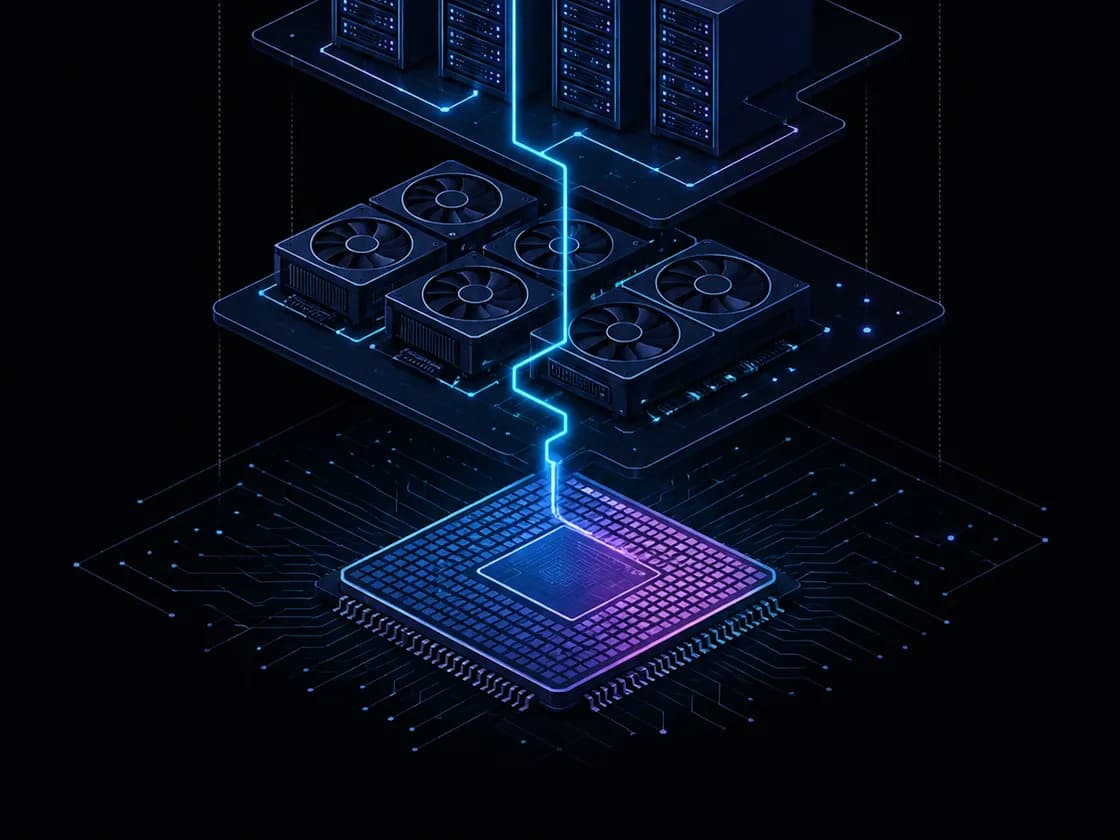
<!-- Generated by ExtractVibe — https://extractvibe.com/brand/navyaai.com -->
<!-- Extracted: 2026-10-02T10:56:56.935Z | Schema: v1 | Quality: 65/100 -->
---
version: alpha
name: "NavyaAI"
description: "LLM Cost Optimization & AI Inference Audit | NavyaAI presents a professional web presence."
colors:
  primary: "#ffffff"
  tertiary: "#0e1b2b"
  surface: "#ffffff"
  on-surface: "#000000"
  surface-dark: "#0e1b2b"
typography:
  display-lg:
    fontFamily: "Space Grotesk"
    fontSize: "72px"
    fontWeight: "400"
    lineHeight: "73.44px"
    letterSpacing: "-3.6px"
  headline-lg:
    fontFamily: "Space Grotesk"
    fontSize: "44px"
    fontWeight: "400"
    lineHeight: "46.2px"
    letterSpacing: "-1.1px"
  headline-md:
    fontFamily: "Space Grotesk"
    fontSize: "28px"
    fontWeight: "600"
    lineHeight: "35px"
    letterSpacing: "-0.7px"
  body-md:
    fontFamily: "Space Grotesk"
    fontSize: "16px"
    fontWeight: "400"
    lineHeight: "24px"
rounded:
  sm: "12px"
  lg: "16px"
  full: "9999px"
spacing:
  base: "2px"
  xs: "1px"
  sm: "2px"
  md: "4px"
  lg: "6px"
  xl: "8px"
components:
  button-secondary:
    backgroundColor: "#ffffff"
    textColor: "#13314e"
    rounded: "12px"
    padding: "0px 16px"
    fontSize: "13px"
    fontWeight: "600"
    borderColor: "#13314e"
  button-outline:
    textColor: "#ffffff"
    rounded: "12px"
    padding: "0px 24px"
    fontSize: "15px"
    fontWeight: "500"
    borderWidth: "1px"
---

# NavyaAI — Design System

## Overview

LLM Cost Optimization & AI Inference Audit | NavyaAI presents a professional web presence.

Key characteristics: professional.

**Key characteristics:**

- Vibe — professional
- Design era — contemporary
- Emotional tone — professional
- Target audience — general audience
- Visual energy — 5/10 (moderate)

## Colors

The palette draws on 3 distinct colors observed across the site, organized into semantic roles below.

### Light mode

| Role | Hex | Name |
|------|-----|------|
| primary | `#ffffff` | White |
| accent / tertiary | `#0e1b2b` | Near-Black |
| background | `#ffffff` | White |
| text | `#000000` | Black |

### Dark mode

| Role | Hex | Name |
|------|-----|------|
| surface | `#0e1b2b` | Near-Black |

## Typography

Type is set in Space Grotesk, Space Grotesk, Geist Mono, with hierarchy expressed through size and weight contrast rather than family-switching.

### Font families

| Family | Role | Source | Weights |
|--------|------|--------|---------|
| Space Grotesk | body | self-hosted | 400, 500, 600 |
| Space Grotesk | heading | self-hosted | 400, 600 |
| Geist Mono | body | self-hosted | 400 |

### Type scale

| Role | Family | Size | Weight | Line height | Letter spacing |
|------|--------|------|--------|-------------|----------------|
| Display | Space Grotesk | 72px | 400 | 73.44px | -3.6px |
| Heading 2 | Space Grotesk | 44px | 400 | 46.2px | -1.1px |
| Heading 3 | Space Grotesk | 28px | 600 | 35px | -0.7px |
| Body | Space Grotesk | 16px | 400 | 24px | — |

### Conventions

- Heading case — sentence-case
- Body line-height — 24px

## Layout

- Base spacing unit — `2px`

## Elevation & Depth

### Shadows

| Context | Value |
|---------|-------|
| element | `rgba(0, 0, 0, 0) 0px 0px 0px 0px, rgba(0, 0, 0, 0) 0px 0px 0px 0px, rgba(0, 0, 0, 0) 0px 0px 0px 0px, rgba(0, 0, 0, 0) 0px 0px 0px 0px, rgb(0, 0, 0) 2px 2px 0px 0px` |

### Gradients

- `linear-gradient(rgb(5, 10, 18) 0%, rgb(11, 22, 34) 45%, rgb(14, 27, 43) 78%, rgb(10, 10, 10) 100%)`
- `linear-gradient(in oklab, rgb(10, 10, 10) 0px, rgb(14, 27, 43) 100%)`
- `linear-gradient(rgb(14, 27, 43) 0px, rgb(95, 125, 150) 50%, oklch(0.985 0 0) 100%)`
- `linear-gradient(to right, oklch(0.985 0 0) 0px, rgba(0, 0, 0, 0) 100%)`
- `linear-gradient(to left, oklch(0.985 0 0) 0px, rgba(0, 0, 0, 0) 100%)`
- `linear-gradient(to right in oklab, rgb(255, 255, 255) 0px, rgba(0, 0, 0, 0) 100%)`
- `linear-gradient(to left in oklab, rgb(255, 255, 255) 0px, rgba(0, 0, 0, 0) 100%)`

## Shapes

Border-radius scale:

- `sm` — 12px
- `lg` — 16px
- `full` — 9999px (pill / circular)

## Components

### Buttons

**Secondary**

- Background — `#ffffff`
- Text — `#13314e`
- Radius — `12px`
- Padding — `0px 16px`
- Font size — `13px`
- Font weight — `600`
- Border — ` solid #13314e`
- Sample copy — "Book a Call"

**Outline**

- Text — `#ffffff`
- Radius — `12px`
- Padding — `0px 24px`
- Font size — `15px`
- Font weight — `500`
- Sample copy — "Audit My AI Bill"

## Voice

### Tone (1–10 scale)

| Axis | Score | Lean |
|------|-------|------|
| Formal ↔ Casual | 5/10 | balanced |
| Playful ↔ Serious | 5/10 | balanced |
| Enthusiastic ↔ Matter-of-fact | 5/10 | balanced |
| Respectful ↔ Irreverent | 3/10 | respectful |
| Technical ↔ Accessible | 5/10 | balanced |

### Copywriting style

- Avg. sentence length — 12 words
- Vocabulary — moderate
- Jargon — some
- CTA style — direct

## Logos

| Type | Variant | Format | URL | Confidence |
|------|---------|--------|-----|------------|
| primary | — | svg | [link](https://img.loadlogo.com/navyaai.com) | 100% |
| favicon | — | ico | [link](brands/navyaai.com/logo-0.ico) | 95% |
| favicon | — | svg | [link](brands/navyaai.com/logo-1.svg) | 95% |
| favicon | — | png | [link](brands/navyaai.com/logo-2.png) | 95% |
| favicon | — | png | [link](brands/navyaai.com/logo-3.png) | 95% |
| favicon | — | png | [link](brands/navyaai.com/logo-4.png) | 95% |
| favicon | — | png | [link](brands/navyaai.com/logo-5.png) | 95% |
| primary | — | svg | [link](brands/navyaai.com/logo-6.svg) | 85% |

## Sources

- Official brand guidelines — https://www.acquia.com/glossary/brand-identity-kit
- Live brand page — https://extractvibe.com/brand/navyaai.com
- Raw JSON — https://extractvibe.com/api/brand/navyaai.com
- DESIGN.md (this file) — https://extractvibe.com/api/brand/navyaai.com/design.md
- Extracted — 2026-10-02T10:56:56.935Z
- Generator — ExtractVibe vv1
- Quality score — 65/100
How to use this file
1. Save this file as DESIGN.md in your project root (sibling to README.md).
2. AI agents that read project files (Claude Code, Cursor, v0, Lovable, Bolt, Windsurf) will discover it automatically.
3. Validate or export tokens with the official CLI:
npx @google/design.md lint DESIGN.md
npx @google/design.md export --format tailwind DESIGN.md
Developer Access
# Fetch the full brand kit
curl https://extractvibe.com/api/brand/navyaai.com \
  -H "x-api-key: ev_your_key"

# Export as CSS variables
curl https://extractvibe.com/api/extract/JOB_ID/export/css \
  -H "x-api-key: ev_your_key"

# Export as Tailwind config
curl https://extractvibe.com/api/extract/JOB_ID/export/tailwind \
  -H "x-api-key: ev_your_key"
Extract your own brand kit
Get colors, fonts, voice, and personality from any website in seconds. Open source.