
Figma: The Collaborative Interface Design Tool
figma.com“Figma projects a vibe of modern, collaborative efficiency, empowering users to build and innovate together. It balances a serious, technical foundation with an approachable and slightly playful aesthetic, fostering a sense of creative possibility.”
Color Palette
Colors
Light Mode
Dark Mode
Typography
Fonts
figmaSans
figmaSans Fallback, SF Pro Display, system-ui, helvetica, sans-serif
figmaSans
figmaSans Fallback, SF Pro Display, system-ui, helvetica, sans-serif
figmaMono
figmaMono Fallback, SF Mono, menlo, monospace
The quick brown fox
16pxThe quick brown fox
72pxThe quick brown fox
16pxThe quick brown fox
24pxComponents
Design System
rgba(0, 0, 0, 0.08) 0px 1px 0px 0px
Voice & Tone
Personality
Visual Energy
Design Era
flat-2.0
Emotional Tone
empowering-efficient
Target Audience
Designers, product managers, developers, and cross-functional teams who value collaboration, efficiency, and a streamlined workflow in product development.
Comparable Brands
Brand Rules
Dos & Don'ts
Do
- Utilize the primary brand color #4d49fc for key interactive elements and primary call-to-action buttons, ensuring high contrast with white text.
- Set all body text using 'figmaSans' font, with weights 330, 400, or 480, and maintain a line-height of 23.2px for readability.
- Apply 'figmaSans' (weights 400, 520) or 'figmaMono' (weight 400) for headings, always using sentence-case.
- Design primary buttons with a #4d49fc background, white text, 8px border-radius, and padding of 12px 20px.
- Design secondary buttons with a #ffffff background, #000000 text, 50px border-radius (pill-shaped), and a #000000 border, with padding of 8px 18px 10px.
- Incorporate a subtle single-layer shadow, specifically rgba(0, 0, 0, 0.08) 0px 1px 0px 0px, for navigation elements to provide slight depth.
- Maintain a consistent spacing system based on a 2px base unit for all layout and component spacing.
- Use a limited color palette primarily consisting of the primary blue (#4d49fc), black (#000000), and white (#ffffff) to maintain a clean and focused aesthetic.
Don't
- Avoid using gradients in any visual elements; the brand's aesthetic is flat and clean.
- Do not use exclamations or emojis in marketing copy; maintain a direct and benefit-focused tone.
- Do not apply multiple layers of shadows or complex visual effects; stick to the single, subtle shadow for specific elements.
- Never use title case for headings; all headings should consistently follow sentence-case.
- Do not introduce additional font families beyond 'figmaSans' and 'figmaMono' to preserve typographic consistency.
- Avoid overly casual or overly formal language; maintain a balanced tone that is serious yet slightly playful and accessible.
- Do not use sharp, angular corners; prefer rounded corners with 8px or 50px radii for a softer, modern feel.
- Do not use any border on primary buttons; the border should be implied by the background color contrast.
Design Assets
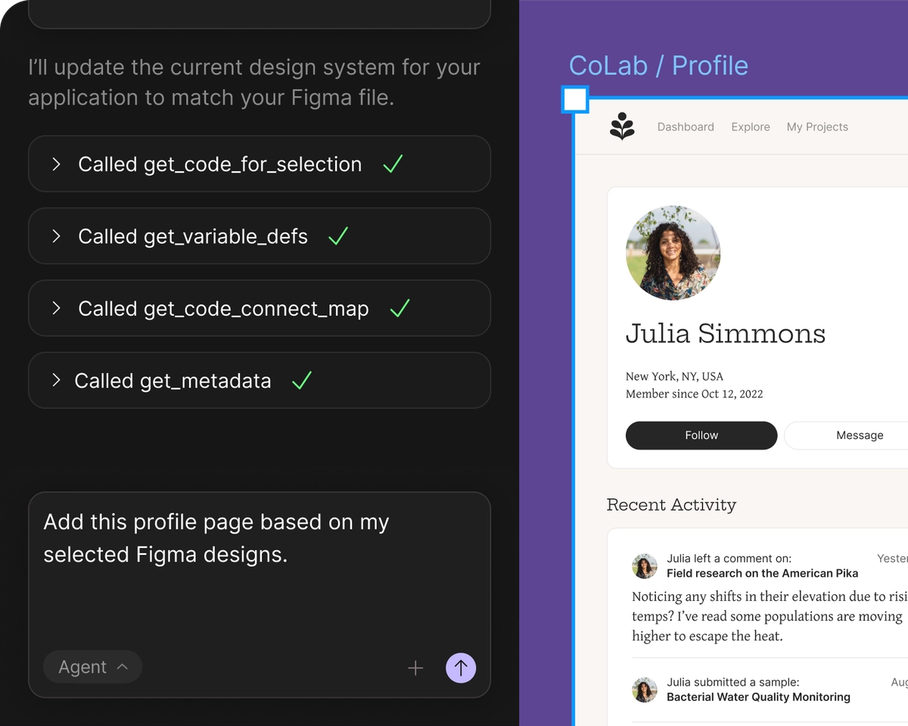
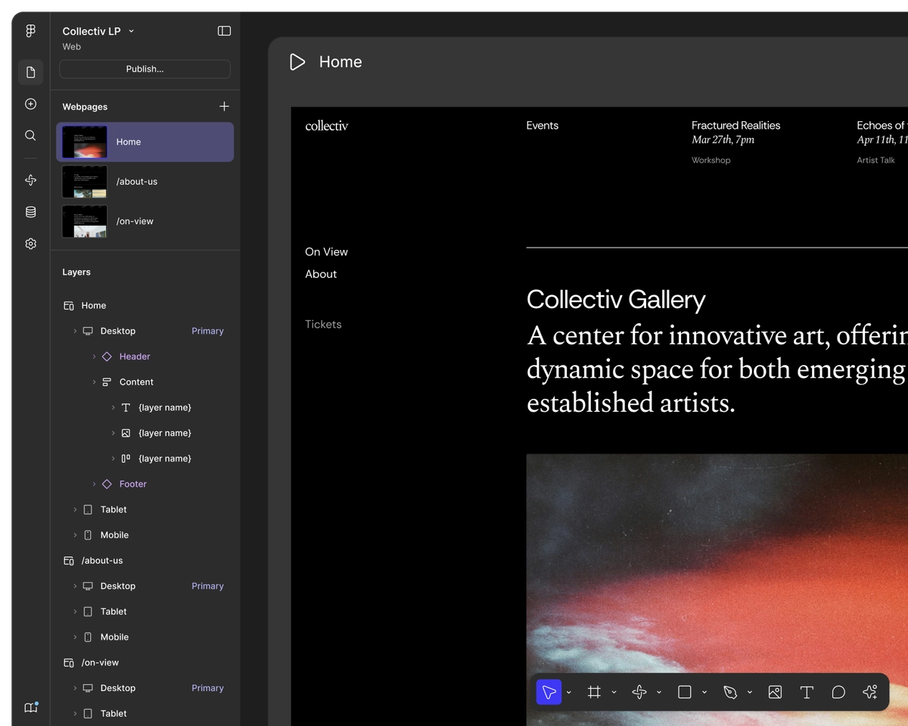
Visual Elements



<!-- Generated by ExtractVibe — https://extractvibe.com/brand/figma.com -->
<!-- Extracted: 2026-04-26T13:05:05.252Z | Schema: v1 | Quality: 100/100 -->
---
version: alpha
name: "Figma: The Collaborative Interface Design Tool"
description: "Figma projects a vibe of modern, collaborative efficiency, empowering users to build and innovate together. It balances a serious, technical foundation with an approachable and slightly playful aesthetic, fostering a sense of creative possibility."
colors:
  primary: "#4d49fc"
  neutral: "#697485"
  surface: "#ffffff"
  on-surface: "#000000"
  on-surface-secondary: "#697485"
  border: "#e2e2e2"
  surface-dark: "#000000"
typography:
  display-lg:
    fontFamily: "figmaSans"
    fontSize: "72px"
    fontWeight: "400"
    lineHeight: "72px"
    letterSpacing: "-1.44px"
  headline-lg:
    fontFamily: "figmaMono"
    fontSize: "16px"
    fontWeight: "400"
    lineHeight: "20.8px"
    letterSpacing: "0.48px"
  headline-md:
    fontFamily: "figmaSans"
    fontSize: "24px"
    fontWeight: "520"
    lineHeight: "32.4px"
    letterSpacing: "-0.24px"
  body-md:
    fontFamily: "figmaSans"
    fontSize: "16px"
    fontWeight: "400"
    lineHeight: "23.2px"
rounded:
  sm: "8px"
  lg: "50px"
  full: "9999px"
spacing:
  base: "2px"
  xs: "1px"
  sm: "2px"
  md: "4px"
  lg: "6px"
  xl: "8px"
components:
  button-secondary:
    backgroundColor: "#ffffff"
    textColor: "#000000"
    rounded: "50px"
    padding: "8px 18px 10px"
    fontSize: "18px"
    fontWeight: "480"
    borderColor: "#000000"
  button-primary:
    backgroundColor: "#4d49fc"
    textColor: "#ffffff"
    rounded: "8px"
    padding: "12px 20px"
    fontSize: "18px"
    fontWeight: "480"
    borderColor: "#ffffff"
  button-ghost:
    textColor: "#000000"
    rounded: "50%"
    padding: "0px"
    fontSize: "16px"
    fontWeight: "400"
    borderColor: "#000000"
---

# Figma: The Collaborative Interface Design Tool — Design System

## Overview

Figma's design system embodies the archetypes of The Creator and The Sage, reflecting a commitment to both innovative output and foundational knowledge. It aligns with the collaborative and efficient ethos found in brands like Slack, Notion, Miro, and Google Workspace, positioning Figma as an indispensable tool for productive teamwork. The visual language is modern and accessible, designed to facilitate complex design tasks without imposing unnecessary cognitive load. This is a system built for clarity and empowerment, enabling users to focus on creative problem-solving rather than interface navigation.

The aesthetic prioritizes functional elegance over decorative excess. It is not whimsical or overly ornate. Instead, it leverages a clean, technical-creative balance to project a sense of reliable innovation. The design system actively avoids visual clutter and highly stylized elements that could detract from the core collaborative experience. Every component and interaction is engineered to support efficient workflow and foster a seamless environment for shared design exploration.

**Key characteristics:**

- Vibe — collaborative, modern, efficient, innovative, accessible, technical-creative
- Archetypes — The Creator, The Sage
- Comparable to — Slack, Notion, Miro, Google Workspace
- Design era — flat-2.0
- Emotional tone — empowering-efficient
- Target audience — Designers, product managers, developers, and cross-functional teams who value collaboration, efficiency, and a streamlined workflow in product development.
- Visual energy — 6/10 (moderate)

## Colors

The color philosophy centers on a singular, impactful primary color: `#4d49fc`. This vibrant blue signifies innovation, trust, and digital precision, immediately signaling Figma's core identity. The dominant use of a `#000000` surface color provides a stark, high-contrast foundation, ensuring readability and allowing the primary accent to command attention. This minimal palette underscores efficiency and a focused, technical approach, while still conveying an approachable modernity essential for collaborative work.

### Light mode

| Role | Hex | Name |
|------|-----|------|
| primary | `#4d49fc` | Royal Blue |
| surface | `#ffffff` | White |
| background | `#000000` | Black |
| text | `#000000` | Black |
| secondary text | `#697485` | Slate Gray |
| border | `#e2e2e2` | Gainsboro |
| muted | `#697485` | Slate Gray |

### Dark mode

| Role | Hex | Name |
|------|-----|------|
| surface | `#000000` | Black |

## Typography

Figma's typography system utilizes `figmaSans` for primary text and `figmaMono` for code-specific elements, establishing a clear hierarchy and functional distinction. `figmaSans` provides a clean, modern, and highly legible voice, reinforcing the brand's accessible and efficient character. `figmaMono` introduces a technical precision where needed, ensuring clarity in structured information. This dual-font approach communicates both user-friendliness and technical rigor, supporting a diverse range of content from explanatory text to code snippets within a cohesive visual framework.

### Font families

| Family | Role | Source | Weights |
|--------|------|--------|---------|
| figmaSans | body | self-hosted | 330, 400, 480 |
| figmaSans | heading | self-hosted | 400, 520 |
| figmaMono | heading | self-hosted | 400 |

### Type scale

| Role | Family | Size | Weight | Line height | Letter spacing |
|------|--------|------|--------|-------------|----------------|
| Display | figmaSans | 72px | 400 | 72px | -1.44px |
| Heading 2 | figmaMono | 16px | 400 | 20.8px | 0.48px |
| Heading 3 | figmaSans | 24px | 520 | 32.4px | -0.24px |
| Body | figmaSans | 16px | 400 | 23.2px | — |

### Conventions

- Heading case — sentence-case
- Body line-height — 23.2px

## Layout

- Base spacing unit — `2px`

## Elevation & Depth

### Shadows

| Context | Value |
|---------|-------|
| navigation | `rgba(0, 0, 0, 0.08) 0px 1px 0px 0px` |

## Shapes

Border-radius scale:

- `sm` — 8px
- `lg` — 50px
- `full` — 9999px (pill / circular)

## Components

### Buttons

**Secondary**

- Background — `#ffffff`
- Text — `#000000`
- Radius — `50px`
- Padding — `8px 18px 10px`
- Font size — `18px`
- Font weight — `480`
- Border — ` solid #000000`
- Sample copy — "Design"

**Primary**

- Background — `#4d49fc`
- Text — `#ffffff`
- Radius — `8px`
- Padding — `12px 20px`
- Font size — `18px`
- Font weight — `480`
- Border — ` solid #ffffff`
- Sample copy — "Get started"

**Ghost**

- Text — `#000000`
- Radius — `50%`
- Padding — `0px`
- Font size — `16px`
- Font weight — `400`
- Border — ` solid #000000`

## Do's and Don'ts

### Do

- Utilize the primary brand color #4d49fc for key interactive elements and primary call-to-action buttons, ensuring high contrast with white text.
- Set all body text using 'figmaSans' font, with weights 330, 400, or 480, and maintain a line-height of 23.2px for readability.
- Apply 'figmaSans' (weights 400, 520) or 'figmaMono' (weight 400) for headings, always using sentence-case.
- Design primary buttons with a #4d49fc background, white text, 8px border-radius, and padding of 12px 20px.
- Design secondary buttons with a #ffffff background, #000000 text, 50px border-radius (pill-shaped), and a #000000 border, with padding of 8px 18px 10px.
- Incorporate a subtle single-layer shadow, specifically rgba(0, 0, 0, 0.08) 0px 1px 0px 0px, for navigation elements to provide slight depth.
- Maintain a consistent spacing system based on a 2px base unit for all layout and component spacing.
- Use a limited color palette primarily consisting of the primary blue (#4d49fc), black (#000000), and white (#ffffff) to maintain a clean and focused aesthetic.

### Don't

- Avoid using gradients in any visual elements; the brand's aesthetic is flat and clean.
- Do not use exclamations or emojis in marketing copy; maintain a direct and benefit-focused tone.
- Do not apply multiple layers of shadows or complex visual effects; stick to the single, subtle shadow for specific elements.
- Never use title case for headings; all headings should consistently follow sentence-case.
- Do not introduce additional font families beyond 'figmaSans' and 'figmaMono' to preserve typographic consistency.
- Avoid overly casual or overly formal language; maintain a balanced tone that is serious yet slightly playful and accessible.
- Do not use sharp, angular corners; prefer rounded corners with 8px or 50px radii for a softer, modern feel.
- Do not use any border on primary buttons; the border should be implied by the background color contrast.

*Source — merged*

## Voice

### Tone (1–10 scale)

| Axis | Score | Lean |
|------|-------|------|
| Formal ↔ Casual | 6/10 | balanced |
| Playful ↔ Serious | 7/10 | serious |
| Enthusiastic ↔ Matter-of-fact | 4/10 | enthusiastic |
| Respectful ↔ Irreverent | 8/10 | irreverent |
| Technical ↔ Accessible | 3/10 | technical |

### Copywriting style

- Avg. sentence length — 8 words
- Vocabulary — moderate
- Jargon — some
- CTA style — direct, action-oriented, and benefit-focused

### Sample copy

> Make anything possible, all in Figma

> Prompt, code, and design from first idea to final product

> Bring everyone together with systems that scale

> Create one source of truth for devs and designers.

> Ship products faster with AI

## Logos

| Type | Variant | Format | URL | Confidence |
|------|---------|--------|-----|------------|
| primary | — | svg | [link](https://img.loadlogo.com/figma.com) | 100% |
| favicon | — | png | [link](brands/figma.com/logo-0.png) | 95% |
| favicon | — | png | [link](brands/figma.com/logo-1.png) | 95% |
| favicon | — | png | [link](brands/figma.com/logo-2.png) | 95% |
| favicon | — | png | [link](brands/figma.com/logo-3.png) | 95% |
| favicon | — | svg | [link](brands/figma.com/logo-4.svg) | 95% |
| favicon | — | ico | [link](brands/figma.com/logo-5.ico) | 95% |
| favicon | — | png | [link](brands/figma.com/logo-6.png) | 95% |
| favicon | — | png | [link](brands/figma.com/logo-7.png) | 95% |
| favicon | — | png | [link](brands/figma.com/logo-8.png) | 95% |
| favicon | — | png | [link](brands/figma.com/logo-9.png) | 95% |
| favicon | — | png | [link](brands/figma.com/logo-10.png) | 95% |

## Sources

- Official brand guidelines — https://figma.com/newsroom
- Live brand page — https://extractvibe.com/brand/figma.com
- Raw JSON — https://extractvibe.com/api/brand/figma.com
- DESIGN.md (this file) — https://extractvibe.com/api/brand/figma.com/design.md
- Extracted — 2026-04-26T13:05:05.252Z
- Generator — ExtractVibe vv1
- Quality score — 100/100
How to use this file
1. Save this file as DESIGN.md in your project root (sibling to README.md).
2. AI agents that read project files (Claude Code, Cursor, v0, Lovable, Bolt, Windsurf) will discover it automatically.
3. Validate or export tokens with the official CLI:
npx @google/design.md lint DESIGN.md
npx @google/design.md export --format tailwind DESIGN.md
Developer Access
# Fetch the full brand kit
curl https://extractvibe.com/api/brand/figma.com \
  -H "x-api-key: ev_your_key"

# Export as CSS variables
curl https://extractvibe.com/api/extract/JOB_ID/export/css \
  -H "x-api-key: ev_your_key"

# Export as Tailwind config
curl https://extractvibe.com/api/extract/JOB_ID/export/tailwind \
  -H "x-api-key: ev_your_key"
Extract your own brand kit
Get colors, fonts, voice, and personality from any website in seconds. Open source.