
Cluely
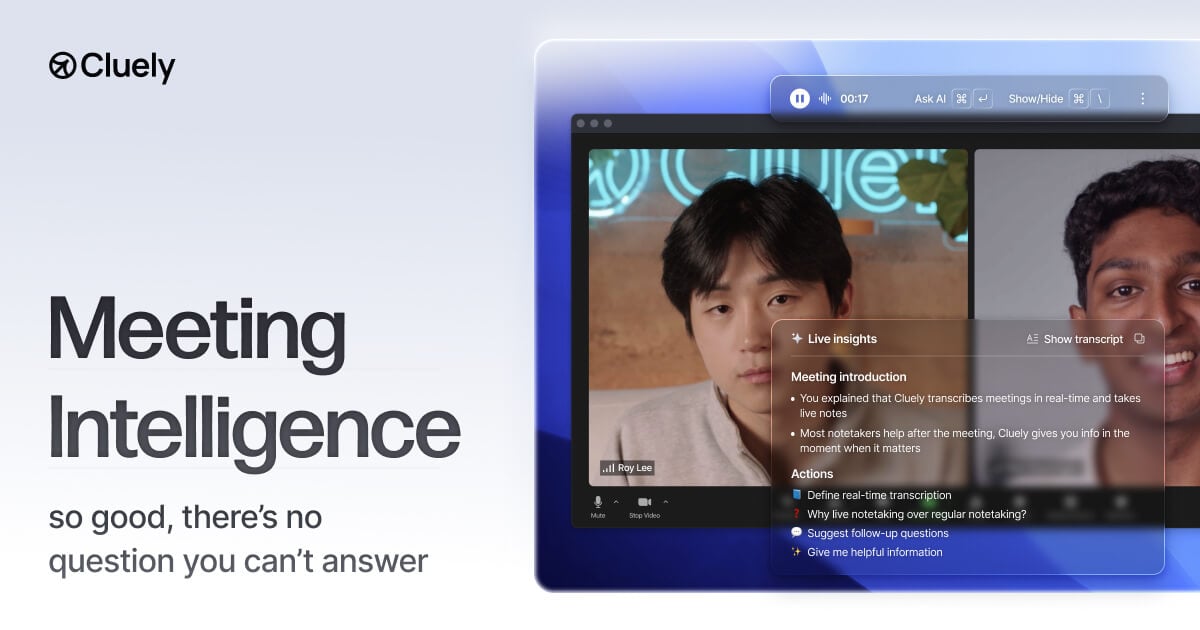
cluely.com“Cluely projects a sophisticated yet approachable vibe, blending the seriousness of a productivity tool with a subtle sense of modern elegance. It feels like a discreet, intelligent assistant that prioritizes clarity and efficiency without being overtly flashy.”
Color Palette
Colors
Typography
Fonts
Geist
Geist Fallback, ui-sans-serif, system-ui, sans-serif, Apple Color Emoji, Segoe UI Emoji, Segoe UI Symbol, Noto Color Emoji
EB Garamond
EB Garamond Fallback
Geist
Geist Fallback, ui-sans-serif, system-ui, sans-serif, Apple Color Emoji, Segoe UI Emoji, Segoe UI Symbol, Noto Color Emoji
Aeonik
-apple-system, sans-serif
The quick brown fox
16pxThe quick brown fox
80pxThe quick brown fox
19pxThe quick brown fox
28pxComponents
Design System
rgba(0, 0, 0, 0) 0px 0px 0px 0px, rgba(0, 0, 0, 0) 0px 0px 0px 0px, rgba(0, 0, 0, 0) 0px 0px 0px 0px, rgba(0, 0, 0, 0) 0px 0px 0px 0px, rgb(175, 179, 196) 0px 0.7px 0px 0px inset
rgba(0, 0, 0, 0) 0px 0px 0px 0px, rgba(0, 0, 0, 0) 0px 0px 0px 0px, rgba(0, 0, 0, 0) 0px 0px 0px 0px, rgba(0, 0, 0, 0) 0px 0px 0px 0px, rgba(255, 255, 255, 0.5) 2.093px 1.951px 9.012px 0px inset, rgba(255, 255, 255, 0.5) 1.111px 1.035px 4.506px 0px inset
rgba(0, 0, 0, 0) 0px 0px 0px 0px, rgba(0, 0, 0, 0) 0px 0px 0px 0px, rgba(0, 0, 0, 0) 0px 0px 0px 0px, rgba(0, 0, 0, 0) 0px 0px 0px 0px, rgba(0, 0, 0, 0.21) -1px 0px 8px 0px
rgba(0, 0, 0, 0) 0px 0px 0px 0px, rgba(0, 0, 0, 0) 0px 0px 0px 0px, rgba(0, 0, 0, 0) 0px 0px 0px 0px, rgba(0, 0, 0, 0) 0px 0px 0px 0px, rgba(0, 0, 0, 0.15) 0px 4px 10px 0px
rgba(0, 0, 0, 0.2) 0px 2px 4.2px 0px, rgba(0, 0, 0, 0.2) 0px 13.025px 26.05px 0px
rgba(0, 0, 0, 0) 0px 0px 0px 0px, rgba(0, 0, 0, 0) 0px 0px 0px 0px, rgba(0, 0, 0, 0) 0px 0px 0px 0px, rgba(0, 0, 0, 0) 0px 0px 0px 0px, rgba(0, 0, 0, 0.05) 0px 15px 15px 0px
rgba(0, 0, 0, 0) 0px 0px 0px 0px, oklab(0.999994 0.0000455678 0.0000200868 / 0.5) 0px 0px 0px 1px inset, rgba(0, 0, 0, 0) 0px 0px 0px 0px, rgba(0, 0, 0, 0) 0px 0px 0px 0px, rgba(0, 0, 0, 0.05) 0px 2px 4px 0px inset
radial-gradient(87.76% 87.72% at 50% 9.2%, rgba(255, 255, 255, 0) 41.36%, rgb(25...
linear-gradient(90deg, rgba(255, 255, 255, 0) 0%, rgba(255, 255, 255, 0.3) 50%, ...
radial-gradient(101.79% 101.79% at 65.61% 81.79%, rgba(255, 255, 255, 0.6) 0px, ...
linear-gradient(rgb(46, 48, 57), rgb(39, 42, 49))...
linear-gradient(oklab(0 0 0 / 0.1) 0px, oklab(0 0 0 / 0.15) 100%)...
linear-gradient(to right in oklab, rgb(25, 25, 29) 0px, rgb(98, 98, 117) 100%)...
Voice & Tone
Personality
Visual Energy
Design Era
contemporary-minimal
Emotional Tone
trustworthy-efficient
Target Audience
Professionals and teams seeking a discreet, powerful AI assistant for meetings, who value clean design and seamless integration over playful or overly casual interfaces.
Comparable Brands
Brand Rules
Dos & Don'ts
Do
- Utilize Geist (400, 500 weights) and Aeonik (500 weight) for body text, ensuring a line-height of 24px for readability.
- Employ EB Garamond (500 weight) or Geist (500 weight) for headings, always in sentence-case.
- Maintain a monochrome color palette, primarily using #18171c (primary), #040406 (accent/text), and #ffffff (background).
- Apply subtle, multi-layer shadows (e.g., rgba(0, 0, 0, 0) 0px 0px 0px 0px, rgba(0, 0, 0, 0) 0px 0px 0px 0px, rgba(0, 0, 0)) to create depth, avoiding harsh or single-layer shadows.
- Incorporate radial and linear gradients (e.g., radial-gradient(87.76% 87.72% at 50% 9.2%, rgba(255, 255, 255, 0) 41.36%, rgb(25)) or linear-gradient(90deg, rgba(255, 255, 255, 0) 0%, rgba(255, 255, 255, 0.3) 50%)) to add subtle visual interest and depth.
- Design secondary buttons with a #ffffff background, #000000 text, 8px border-radius, #e2e3e9 border, and 7px 9px padding.
- Design outline buttons with #ffffff text, 3px border-radius, and 8px 20px padding, ensuring no background color.
- Maintain consistent spacing using a 2px base unit, with border radii of 3px (small), 8px (medium), and 12px (large).
Don't
- Avoid using emojis in any marketing or product copy.
- Do not use exclamations frequently; reserve them for rare, impactful moments.
- Refrain from using overly playful or casual language; maintain a serious and matter-of-fact tone.
- Do not use title case for headings; all headings should be in sentence-case.
- Avoid bright or vibrant colors outside of the established monochrome palette.
- Do not use sharp, angular corners; always apply border radii of 3px, 8px, or 12px.
- Do not use heavy, opaque shadows; stick to subtle, multi-layered shadow effects.
- Avoid overly technical jargon unless specifically targeting a highly technical audience; aim for accessible language with some moderate vocabulary.
Design Assets
Visual Elements


How to use this file
1. Save this file as DESIGN.md in your project root (sibling to README.md).
2. AI agents that read project files (Claude Code, Cursor, v0, Lovable, Bolt, Windsurf) will discover it automatically.
3. Validate or export tokens with the official CLI:
npx @google/design.md lint DESIGN.md
npx @google/design.md export --format tailwind DESIGN.md
Developer Access
# Fetch the full brand kit
curl https://extractvibe.com/api/brand/cluely.com \
  -H "x-api-key: ev_your_key"

# Export as CSS variables
curl https://extractvibe.com/api/extract/JOB_ID/export/css \
  -H "x-api-key: ev_your_key"

# Export as Tailwind config
curl https://extractvibe.com/api/extract/JOB_ID/export/tailwind \
  -H "x-api-key: ev_your_key"
Extract your own brand kit
Get colors, fonts, voice, and personality from any website in seconds. Open source.